 Lali
Lali · Built on AOSP for unattended edge AI devices
An Android system layer
for unattended edge AI devices,
so your app keeps running.
Lali is a Device Owner built into the system image and assembled in advance: self-heal, locking, permissions, the console and event logs are already there and configurable. You do not write a management app; you focus only on your own app.
Lali is built on the Android™ Open Source Project (AOSP), developed and maintained by Hsin-Hsien Lee as an individual project, and made for field devices that run a single app. This is an evaluation edition: it cannot show its screen on a connected display, and it cannot be shipped in a product.
Who it is for
If you can build an Android app,
you can build an unattended device.
Your team does not have to learn embedded Linux first. Build the app the usual Android way and prototype it on an Android phone you already have; on a phone without Lali, the sample app switches to a simulated mode automatically, so the screens and flows still work.
When you are ready for hardware, install the same app on a Lali-powered board such as RUBIK Pi 3 and evaluate it there. Long-run operation, bringing the app back after a crash, and locking the device to your app are handled by Lali in the system layer.
Capabilities
What Lali does for your app
in the system layer.
- Managed-app self-healingAfter your app crashes or stops responding (ANR), Lali brings it back without showing a dialog. Locked, it is also brought back when it is killed; unlocked (the first-boot default), it is not brought back when someone closes or force-stops it, or the system ends it to free memory. Restarts use back-off and cool-down so it never falls into a restart loop. A deliberate stop is respected and not undone.
- Lock modeBuilt on the standard Android lock task mode, with the restrictions preset; one switch in the console locks it, and the device then shows only your app. Unlock it for maintenance or another purpose and you are back to regular Android with a home screen.
- Local web consoleManage the device in a browser: device information and network status, the managed app (upload an APK, make it managed, lock), a record of when apps were killed, the audit log and accounts. The console listens only on the device itself; use SSH port forwarding from elsewhere.
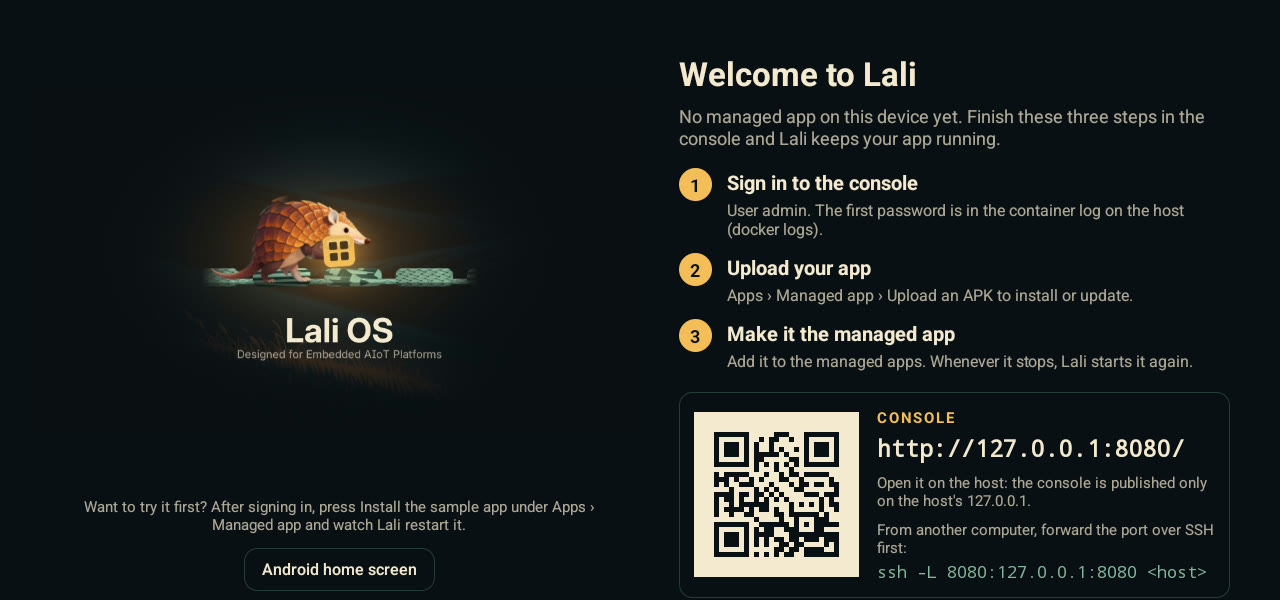
- First-boot welcome screen and sample appThe first boot shows three steps: sign in to the console, upload your app, make it managed. You can also install the sample app, press "crash on purpose" or "hang on purpose", and watch Lali bring it back.
- Porting kitAlready have a Python program running on Linux, reading sensors, reporting data or serving a small web page? The porting kit first checks what cannot move to Android as is, then packages it as an APK that Lali can manage. Qt and "web page + native program" templates are planned.
- Edge AI inferenceThe sample app runs a real object-detection model on the device and shows the backend it actually used and the time per frame. On RUBIK Pi 3 the community edition runs inference on the CPU; hardware acceleration is on the roadmap. The AI platform check in the console shows, layer by layer, where the acceleration path breaks on this device and why.
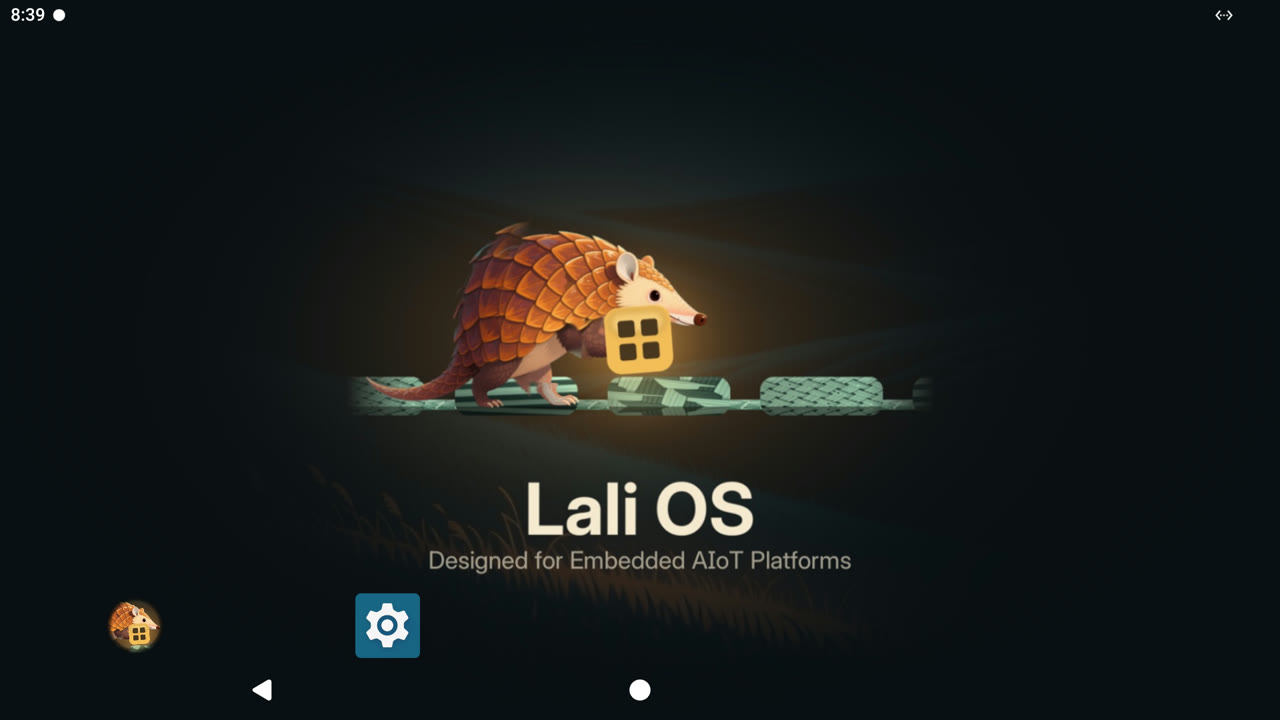
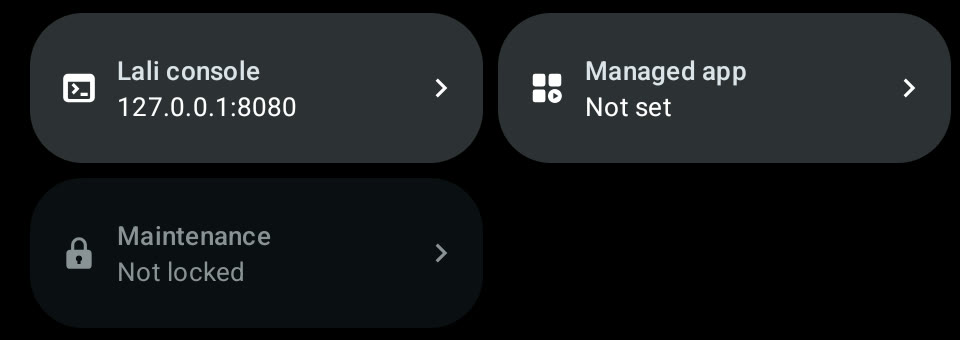
Unlocked, it is regular Android with a home screen; Quick Settings show the console address, the managed app and the maintenance state. (Actual community container screens)
Before, and with Lali
Keeping one app running from power-on
to power-off: the work you would do yourself.
On standard Android all of this can be built, but your team writes it, tests it, and checks it again with every new Android version. With Lali it comes assembled in the system layer, as parameters, with no management app to write and no device-by-device provisioning.
The steps with Lali
- Upload your APK in the console.
- Make it the managed app.
- Switch to lock mode when it should be the only thing on screen.
- Unlocked, the app is brought back after a crash (being ended by a signal counts as one) or ANR; not when someone closes or force-stops it, or the system ends it to free memory. Locked, it is brought back after a crash or ANR or when it is killed (except after a deliberate stop). To keep it on screen at all times, use lock mode.
- "Not responding" means the system has reported an ANR: a hang the system does not report while the process is still there may go unnoticed, so check for that in your own app.
- If your app uses the camera, microphone or similar in the background, Android foreground service rules still apply.
- Lali itself is the Device Owner of the device; handing that role to your existing management system (MDM) needs an integration assessment first.
- The statement on special access is based on the Android developer documentation and source code (November 2026); pre-granting it has not been tested on the release image of the container edition yet.
How to get it
Evaluate it for free,
get in touch to ship.
- Community edition
- The community container image will be free for evaluation, learning, development and non-commercial use (per the draft image licence; final terms are published with the release). The image itself is not open source, and the OS source tree is not part of this release; the porting kit, SDK and sample app will be released under open-source licences.
- Limits of this edition
- For evaluation, not for shipping; the image is signed with the public AOSP test keys. Nothing is shown on a screen connected to the host (HDMI, DisplayPort); you see it with scrcpy from a computer. There are no automatic updates; you update by hand on the host. AI inference runs on the CPU and graphics are drawn in software. There is no Google Play or GMS, and no location. It cannot be used on a device that has to be managed by another MDM or Device Owner, and an app with its own watchdog or self-restart works against the supervision in Lali.
- Downloads
- GitHub: coming soon, under github.com/lali-os.
- Commercial deployment
- Shipping products or paid services need a separate commercial licence; see Working together and contact.
Platforms
Platforms under test
Open source and thanks
Lali is built on
these open-source projects.
Each project has a different goal; this is what Lali uses from it or learned from it.
- Android Open Source Project (AOSP)
- The base of Lali. The system image is built from AOSP source, and Lali adds the system layer a single-purpose device needs. Mostly Apache-2.0.
- redroid
- Android in containers on Linux hosts, for cloud and many-instance use. It showed that a full Android system can boot in an ordinary container, and the Lali container edition followed that path; the few source files derived from redroid are credited in the image NOTICE. Apache-2.0 (as stated in the redroid docs).
- LineageOS
- A community-maintained distribution based on Android, for people's everyday phones and tablets. The browser built into Lali is based on LineageOS Jelly, with its copyright notice kept. Apache-2.0 (Jelly).
Project names are used only to identify those projects; Lali is not affiliated with or endorsed by any of them. Every component and its license is listed in the image NOTICE.
FAQ
Frequently asked questions
- Do we write an Android app or a Linux program?
- An Android app. Your app is a regular Android app (APK), built with the Android tools you already know. Lali runs in a container on a Linux host, but your app does not need to know that. If you already have a Python program on Linux, the porting kit can package it as an APK.
- Can we develop on a phone without Lali?
- Yes. The app itself is standard Android, so you can build and validate it on an ordinary Android phone; when the sample app does not find Lali, it switches to a simulated mode automatically. System-layer behaviour such as self-healing and lock mode shows up once you deploy to Lali.
- Can we use it on a board we designed ourselves?
- It is open to discussion. The community edition is currently evaluated and being verified on RUBIK Pi 3; whether your own board is feasible depends on the BSP support for that board and chip. You are welcome to write about it; see Working together and contact.
- When is it not a fit?
- In four cases. First, the device has to be managed by another MDM or Device Owner: a device has only one Device Owner and Lali already is it, so another cannot be installed; please write first. Second, the app has its own watchdog or restarts itself: in lock mode each end of its process that Lali sees, other than an app update or a deliberate stop, counts as a failure, and repeated ones lead to back-off and cool-down; turn your watchdog off before you evaluate. Third, the product needs a screen connected to the device: this edition has no output to one; for your own board, please write first. Fourth, the app needs Google services (GMS): there are none; use hardware certified by Google.
- Can it drive an HDMI screen?
- Not at the moment. The display of the community container is virtual and drawn in software; you see it with scrcpy from a computer, and nothing is sent to an HDMI or DisplayPort screen connected to the board. It fits evaluating Lali, and apps that need no screen on the device; it does not fit a product that needs one.
- How is it updated?
- By hand; the community edition has no automatic updates. Each release is a container image with a fixed version. An update script on the host verifies its signature, backs up the data and switches to the new image, and it can go back: the previous image is restored together with the data backup made before the update, so data written after the update is lost. The console can show a notice about a new release if you turn it on; it only notifies and never downloads or installs anything.
- How does licensing work?
- The community container image will be free for evaluation, learning, development and non-commercial use; shipping products or paid services need a separate commercial licence, so please write to the project mailbox. The image itself is not open source, and the OS source tree is not part of this release; the porting kit, SDK and sample app will be released under open-source licences. The Lali name and logo are not covered by the software licences.
- Does it include Google Play?
- No. Lali does not include Google Play or GMS, which means two things. First, there is no network location from Wi-Fi or cell towers, and the community container has no GNSS receiver either, so it has no position at all. Second, devices cannot enroll in Android Enterprise in GMS mode, and Microsoft Intune cannot manage them directly today. Lali itself is the Device Owner, so an EMM or MDM that has to be the Device Owner cannot be installed today; if you need central management, please write first about integration. If your product needs Google services, choose hardware that is certified by Google.
Working together and contact
Want to try Lali on your device?
Lali is started and maintained by one person. To talk about your board, your app, a commercial licence or another way of working together, write to the project mailbox with a short note on your device and the conditions in the field.
- Project mailbox
- lali.os.project@gmail.com
- GitHub
- github.com/lali-os
The porting kit, SDK and sample app repositories open with the first public release; none is public yet. - Maintainer
- Hsin-Hsien Lee